


Introduction
Roblox ranks among the top online gaming platforms worldwide. It is a favorite of millions of players who seek creativity, social interaction, and limitless gaming experiences. Apart from its various entertaining features, the use of voice changers has become very popular recently, thus enabling players to change their in-game communication uniquely and create funny, memorable moments.
The guide will take the readers through the six best Roblox voice changers for 2026. The point is to pick up the right tool, which, apart from being simple and effective, contains lots of great features that can make your gaming experience even more exciting.
Top 6 Voice Changers for Roblox
EaseUS VoiceWave
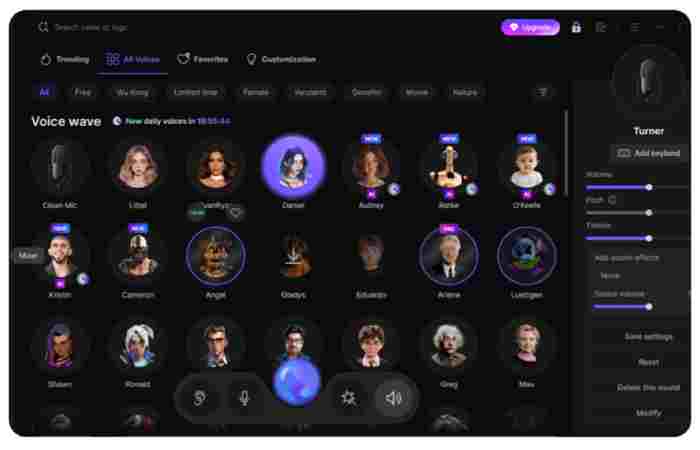
EaseUS VoiceWave is a very modern AI voice changing software that can change your voice in real time. It is quite suitable for Roblox gamers, streamers, and content creators who are looking for a way to improve their in-game experience. It is packed with 200+ unique voice effects and 300+ soundboard sounds, which means you can change your voice at any time to anything that goes from a robot to a character from your favorite game.
It is also very low latency that it doesn’t even cause the slightest delay or lag when you are voice modulating in live chats, roleplaying, and streaming. Besides gaming, EaseUS VoiceWave also allows you to work with online meetings, content creation, and post-production, thus becoming a handy aid for users from different spheres requiring dynamic voice customization.
Key Features:
- Real-time AI voice transformation with minimal latency for seamless live interactions
- 200+ voice effects and 300+ soundboard sounds for endless creativity
- Noise reduction and audio enhancement for clear, professional-quality sound
- Multi-platform compatibility (1000+ games), including Roblox, Discord, Zoom, Twitch, Streamlabs, and OBS
- Customizable pitch, tone, and timbre, allowing complete control over your voice personality
Pros:
- Smooth, lag-free real-time voice modulation
- Vast library of effects suitable for gaming, streaming, and content creation
- Enhances privacy and anonymity during live interactions
- Supports both casual fun and professional-grade post-production workflows
Cons:
- Advanced features like extended voice effects require the paid version
- Only available for Windows 10 and 11
How to use EaseUS VoiceWave with Roblox
Step 1: Enable Roblox voice chat
Launch the game, head over to Settings > Privacy & Content restrictions, and check the microphone setting to ensure that it is allowed. Turning on the microphone will let you use the voice chat feature during the game.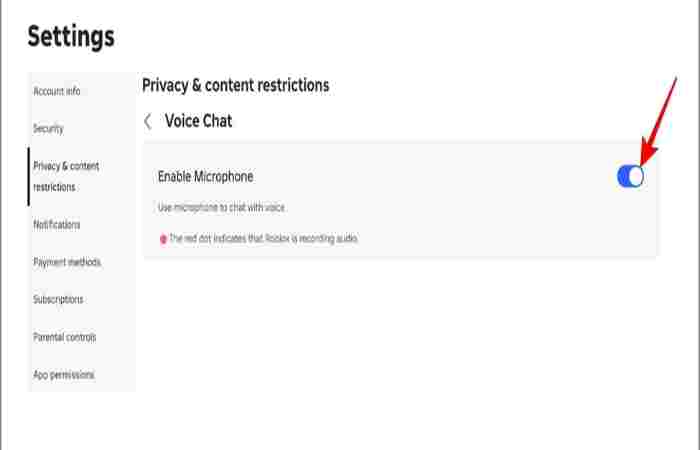
Step 2: Set EaseUS VoiceWave as your input device
Go to Settings > Input Device in the game. Select “VoiceWave Microphone (EaseUS Virtual Device)” as your input microphone. For even better sound quality, you can also make changes to the audio settings under Settings > General.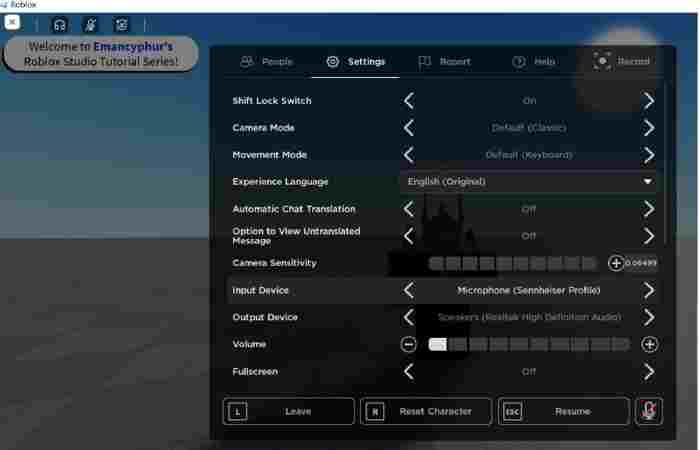
Step 3: Apply voice effects in real time
Start EaseUS VoiceWave before or after launching Roblox. You may choose from a variety of regular voice filters or even more improved AI voice effects. Your voice will be modified immediately, so it will be a cool and engaging experience for you and other players.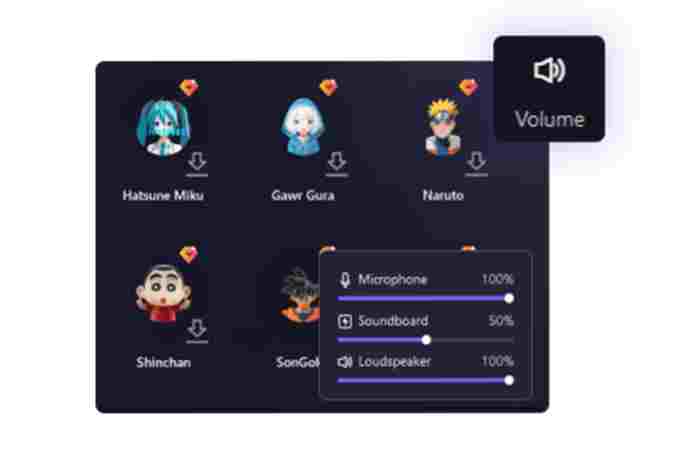
Voicemod
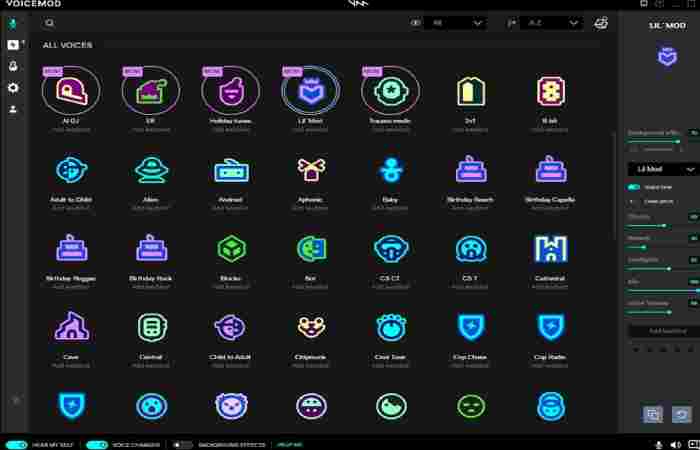
Voicemod is among the top real-time voice changers for Roblox which is lauded for its speed, versatility, and extensive voice library. Thanks to AI technology, it changes your voice instantly, without any loading time or training, which is why it is perfect for live gameplay and chats. Moreover, Voicemod is compatible with macOS and Windows, and it can be easily integrated with Roblox voice chat, Discord, and in-game communication, so players can roleplay, prank their friends, or match their voices to the respective game characters with virtually no latency. Besides, its vibrant community-led ecosystem ensures that voices and sound effects are fresh all the time.
Key Features:
- Real-time AI voice changer with ultra-low latency for smooth gameplay
- 200+ built-in voice filters plus thousands of community-created voices
- Voicelab tool to create, customize, and share your own voices
- Integrated soundboard with keybind support for instant sound effects
- Wide compatibility with Roblox, Discord, OBS, Steam, and major games
Pros:
- Extremely fast voice processing with almost no lag
- Huge and growing voice library powered by the community
- Works across games, apps, and live streaming platforms
- Free version available for casual users
Cons:
- Many premium voices and full customization require Voicemod Pro
- Interface may feel overwhelming for first-time users
NCH Voxal Voice Changer
NCH Voxal Voice Changer is a feature-rich voice alteration software that doesn’t weigh your system down and is easily integrated with Roblox and other programs that use a microphone. It is a great utility that can be used for disguising a voice, acting out a character, or just having some fun while communicating through the microphone and chatting during the game.
The variety of ready-made effects and the possibility to generate countless personal voices make it an excellent option for users who are looking to have fun with their voice without the heavy burden of the system. The software’s negligible CPU consumption will guarantee you won’t stutter, even when running a lower-spec system and playing a game for an extended period of time.
Key Features:
- Real-time voice changing using a microphone with no noticeable FPS drop
- 40+ realistic preset voice filters (robot, alien, girl, boy, echo, atmospheric)
- Extensive voice effect library, including robot, girl, boy, alien, echo, and atmospheric effects
- Custom voice creation with saveable effect chains and hotkey switching
- Wide compatibility with Roblox, Steam games, Discord, Skype, and TeamSpeak
- Low CPU usage with a simple, beginner-friendly interface
Pros:
- Works smoothly with most games and chat apps without extra configuration
- Free version available for non-commercial, home use
- Supports both real-time voice change and recorded audio editing
- Lightweight software that doesn’t impact gaming performance
Cons:
- Interface feels basic compared to modern AI-based voice changers
- Advanced customization options are less immersive than AI voice tools

MorphVOX
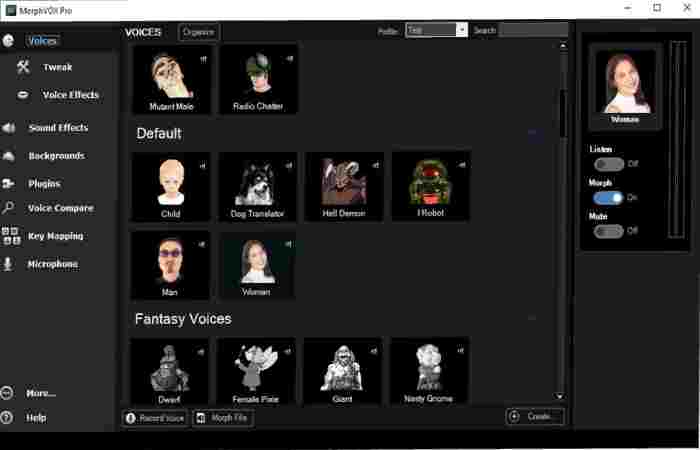
MorphVOX from Screaming Bee is a premium voice changer specifically created for gamers who want immersive, high-quality voice transformations while playing Roblox or any other online games. It employs advanced voice-learning technology to understand your voice and make realistic changes with great clarity. In addition to noise cancellation, environmental sounds, and performance optimization for online gaming, MorphVOX allows players to sound like their in-game characters, such as a giant, robot, or alien, without losing audio quality or system performance.
Key Features:
- Advanced voice-learning algorithms for realistic and natural-sounding voice changes
- Background noise cancellation and environmental effects for immersive roleplay
- Quick voice and effect switching using customizable hotkeys
- Integrated soundboard and sound packs with additional background audio options
- Optimized for online gaming with low CPU and bandwidth usage
Pros:
- Excellent sound quality with clean, realistic voice output
- Works smoothly with games and chat apps without lag
- Strong background noise reduction for clearer communication
- Ideal for roleplaying and character-based gameplay
Cons:
- Paid software with a higher price than basic voice changers
- Interface may feel complex for beginners
Clownfish Voice Changer
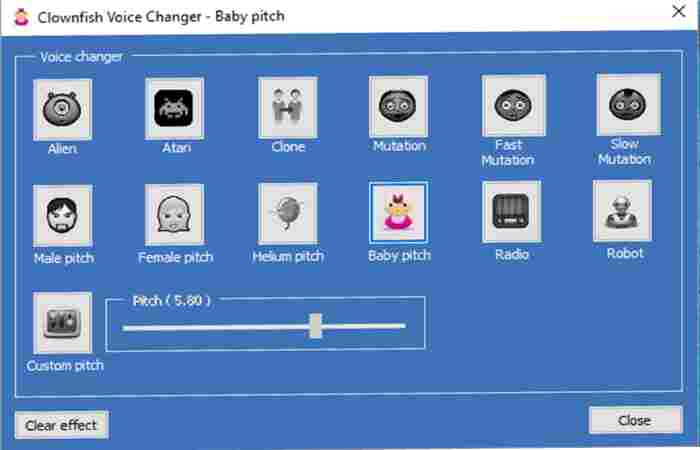
Clownfish Voice Changer is a user-friendly and light voice-changing program that operates system-wide, which makes it work with Roblox and most voice chat apps. Rather than functioning as a different app, it gets your microphone and changes your voice in real-time across games and communication platforms. Thanks to its simple installation and the few voice effects it offers, Clownfish can be a nice pick for Roblox users who desire a quick voice change without having to deal with complicated settings or high system requirements.
Key Features:
- 14+ built-in voice effects, including male, female, robot, alien, helium, and pitch-based voices
- System-wide microphone integration, working with 100+ voice-enabled apps and games
- Built-in sound player for adding background or custom audio clips
- Low resource usage, suitable for older or low-end PCs
- Compatible with popular apps, including Roblox, Discord, Skype, and Steam games
Pros:
- Completely free and easy to install
- Very lightweight with minimal impact on system performance
- Works automatically across multiple applications
- Beginner-friendly interface
Cons:
- Limited voice effects compared to AI-based voice changers
AV Voice Changer
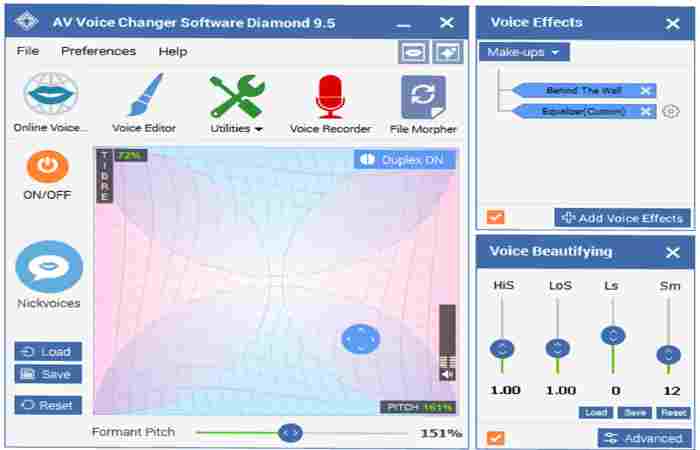
AV Voice Changer Software, especially the Diamond edition, is a powerful tool to change your voice. It integrates real-time voice morphing, a huge number of presets, and deep-level audio editing capability. It’s aimed at people who want professional-grade vocal control, whether for gaming (Roblox, for example), livestreams, voiceovers, or any other type of audio projects. You can create characters ranging from deep and dramatic to funny and cartoonish ones with AV Voice Changer through its hundreds of audio effects, pitch/timbre controls, and preset library. In addition to this, you get the background effects, recording features, and the ability to use them with many VoIP apps and games for roleplaying and creating content.
Key Features:
- 100+ preset voices (nickvoices) for quick character switching
- 30+ voice effects and 70+ background effects
- Real-time voice morphing with pitch and timbre adjustment
- Built-in voice recorder and editor for saved audio
- Virtual audio driver for compatibility with Roblox and chat apps
Pros:
- Very detailed voice customization
- Large preset and effect library
- Works in real time and for recordings
Cons:
- Paid software with limited free trial
- Interface feels outdated
- Windows-only support
Conclusion
Voice changers add to the fun and creativity of Roblox, giving you the opportunity to act out roles, enhance privacy, or simply enjoy yourself with your friends. We explored the best 6 voice changers in this 2026 update, including AI-based software like EaseUS VoiceWave and basic free versions like Clownfish. EaseUS VoiceWave is fantastic for realistic, real-time voices and seamless gameplay. Your Roblox time can be much more enjoyable and distinctive when you have the right voice changer.
FAQs
1. Can I change my voice in Roblox for free?
To be sure, free versions of EaseUS VoiceWave, Clownfish, and Voxal that are compatible with Roblox are available, but if you want to use some advanced features, you may need to buy an upgrade.
2. What’s the best voice changer for instant AI voices?
If you are looking for the best AI voice real-time changer without noticeable delay, the answer is EaseUS VoiceWave. Moreover, it is ideal not only for gaming but also for live streaming and chatting on Roblox.
3. Will my gameplay be slower if I use a voice changer?
Most voice changers, such as Clownfish and Voxal, are small size and are designed to consume minimal CPU, thus they generally won’t have an impact on Roblox gameplay even if the PC is low-end.