

Video has quietly become the default format for almost everything online — product demos, social ads, onboarding tutorials, even internal training. The problem is that most people still approach it the old way: open an editor, drag in clips, trim, caption, export, repeat. That workflow made sense when video was occasional. It doesn’t scale when every team suddenly needs to publish video content weekly.
Why AI Video Tools Are Reshaping Content Creation
Over the last couple of years, a new category of tool has emerged to close that gap: AI systems that don’t just help you edit faster, but handle a much bigger chunk of the production process on their own. Instead of manually assembling a timeline, you describe the outcome you want — a 15-second product teaser, a talking-head explainer, a social-ready cutdown of a longer video — and the system does the heavy lifting of sourcing, sequencing, and formatting.
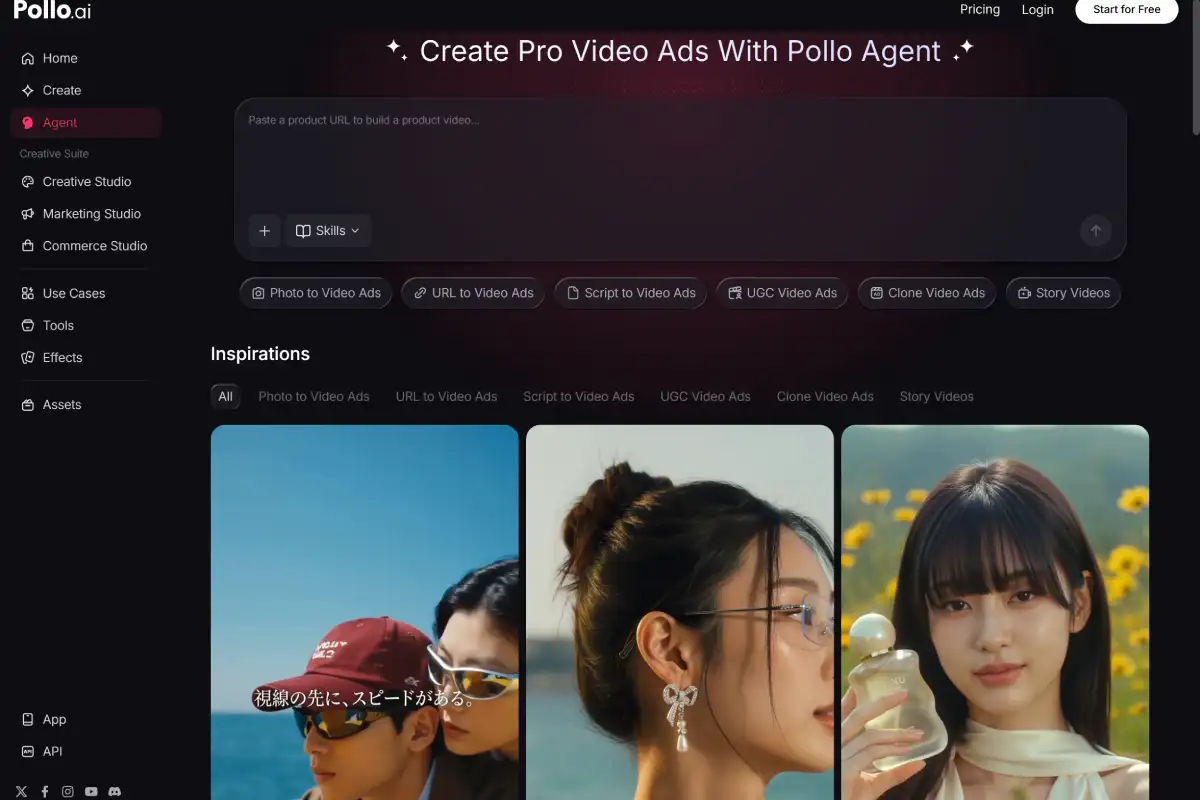
That’s the space Pollo AI has been building in with its recently expanded agent workflow. Rather than generating one isolated clip and leaving the assembly to you, Pollo AI’s Pollo Agent takes a brief and your existing assets — product shots, brand footage, previous generations — and turns them into a finished, publish-ready video. For creators and small teams without a dedicated editor on staff, that shift from “generate a clip” to “generate the ad” is a meaningful jump in how much can actually get shipped in a week.
The Bottleneck Was Never Just “Generating a Clip”
It’s easy to get excited about a tool that can generate a decent 5-second clip from a text prompt. But for anyone actually running a content calendar, the harder problem has always been what happens around that clip — matching brand tone across a dozen variations, keeping pacing consistent, reformatting for different platforms, and not having to re-upload the same product photo for the fifteenth time this month.
This is where a lot of AI video tools quietly stall out. They’re optimized for the demo — one impressive clip — rather than the repeatable production pipeline a real content operation actually needs. Treating assets like product images, defined characters, and past generations as something you can reuse and reference, rather than re-upload every time, ends up mattering more day-to-day than the raw quality of any single generated frame.
Comparing the Two Main Approaches to AI Video
Broadly, AI video tools split into two camps. The first is the agent-style assistant: you give it a goal, and it handles sourcing, sequencing, and pacing largely on its own. The second is the AI-assisted editor: you keep working in a familiar timeline, but individual steps — clip generation, auto-captioning, voice cloning — get automated underneath you.
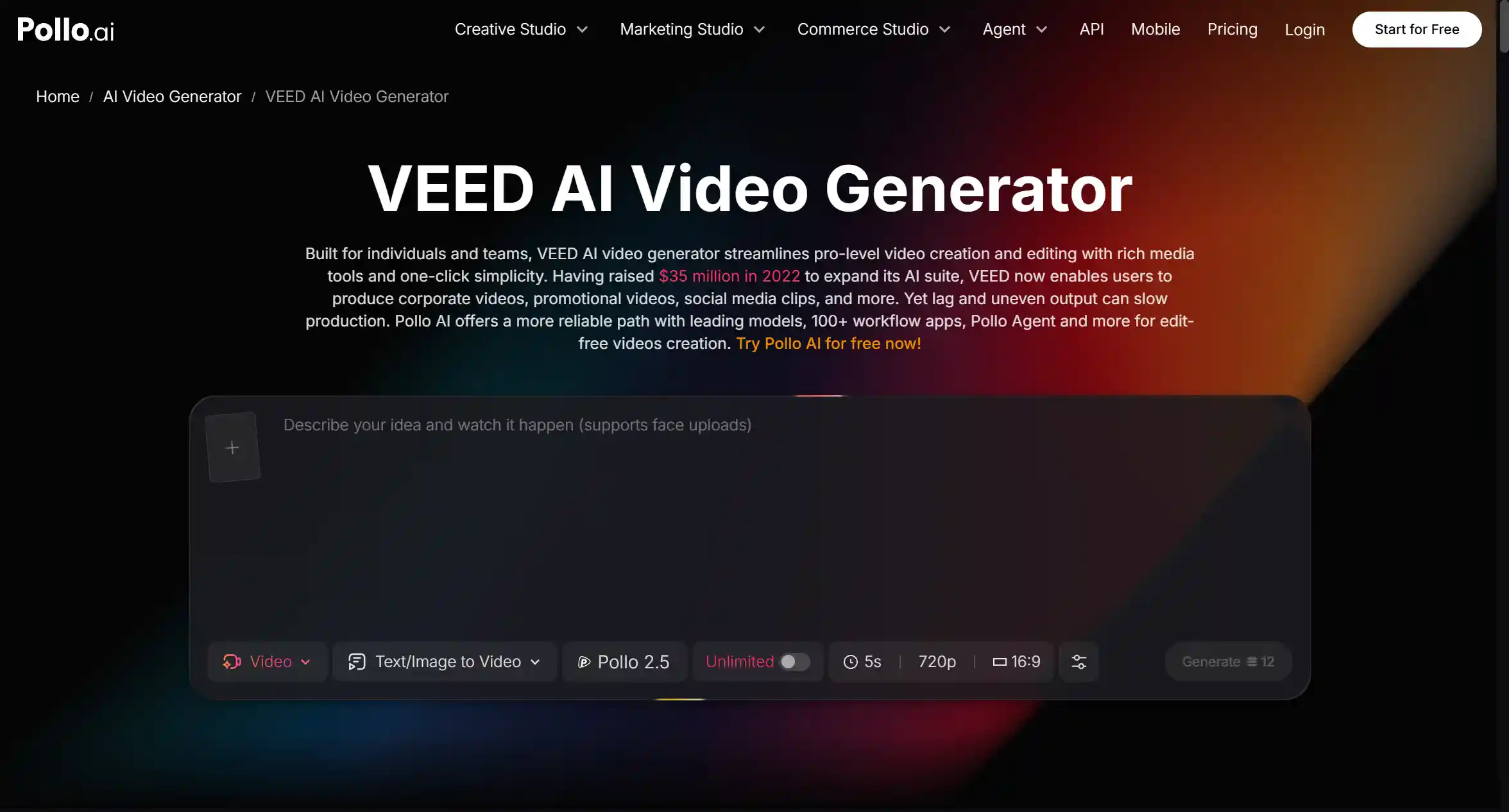
VEED is a well-known example of the second camp, and it’s actually one of the integrations Pollo AI offers directly, letting you move from Pollo AI’s asset library straight into a VEED editing session without re-exporting and re-importing files between platforms. That combination is useful if you like the control of a traditional timeline editor but don’t want to lose the asset reuse and agent-driven generation that Pollo AI handles upstream.
The real question isn’t which category is “better” — it’s which one matches your bottleneck. If you’re short on time and need volume, an agent-driven workflow that outputs a near-finished video is usually the faster path. If you need frame-level control for a flagship campaign, a timeline editor with AI shortcuts layered in still makes sense.
Building a Video Workflow That Doesn’t Reset Every Time
The teams getting consistently good results from AI video tools tend to share one habit: they stop treating every video as a one-off project. They build a small, reusable library — approved product shots, a defined on-camera “character,” a couple of go-to scene setups — and pull from it instead of starting from a blank upload every time.
That habit matters more than any individual feature. A tool that lets you reference a product photo or a brand style you defined weeks ago, instead of hunting it down and re-uploading it, saves real hours over a month of regular posting — even if it never shows up in a demo video.
Getting Started Without Overthinking It
If you’re testing these tools for the first time, don’t start with your most complicated campaign. Pick one format — a short product demo, a talking-head explainer, a simple promo cutdown — and run it end to end. Pay attention to where you had to redo work that should have carried over, where the pacing needed a manual fix, and where the output was genuinely ready to publish as-is.
From there, it’s much easier to figure out whether an agent-driven workflow or a traditional AI-assisted editor fits how you actually work — or, like a growing number of teams, you settle into using both: an agent for volume, and an editor for the campaigns that deserve a closer look.